HomeStock
A mobile app for personal inventory: stock management, but for the things in your home, with a database stored on the phone.
- Year
- 2026
- Context
- Learning React Native
- Tech stack
- React Native
- Expo
- TypeScript
- SQLite

01 · Context
The challenge
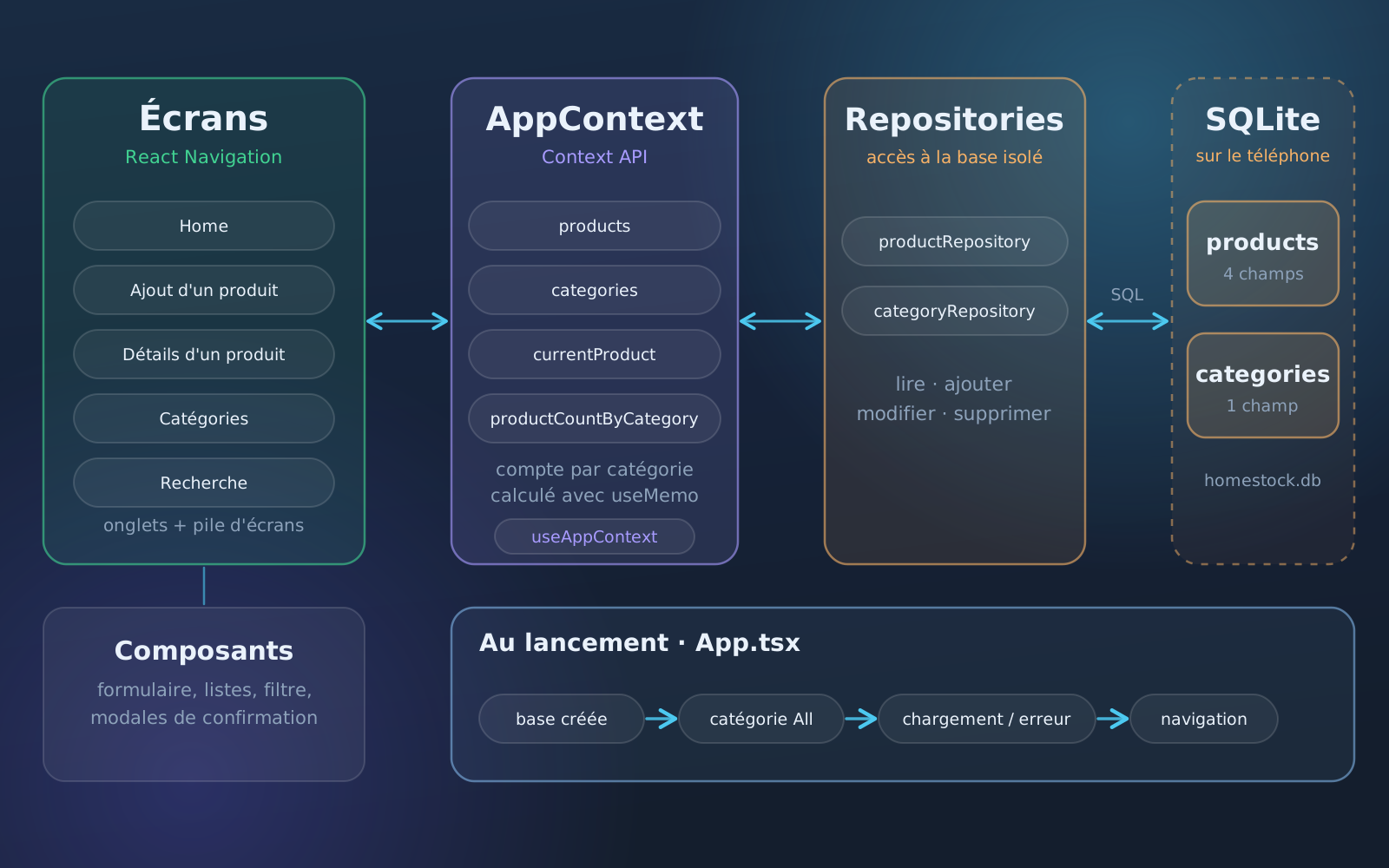
A personal project to keep track of what I own, and above all to learn React Native: each version brings new concepts, and v2 is the first fully working one. You add, edit and delete items (name, reference, quantity, category), sort them by category, which you also create and manage from the app, and filter them by category, with the number of items in each. A search finds an item by its name or reference, and a detail page shows it. The data stays on the phone, in a SQLite database created on first launch and reloaded at every start. In the code, the screen, the global state and the database access are kept apart: the screens read a global context, which goes through repositories to talk to SQLite. v3 plans accounts, a REST API, synchronisation between devices, several inventories per user, a dashboard and a history of changes.
02 · Architecture
How it's built
Key points
- Full management of products and categories: add, edit, delete
- Filtering by category, with the number of items in each, and search by name or reference
- React Native / Expo mobile app written in TypeScript, for iOS and Android
- Data stored on the phone with SQLite, no connection needed
- Architecture split by responsibility: screens, global context, repositories
- Next version planned: accounts, REST API and synchronisation between devices
03 · In pictures
Gallery
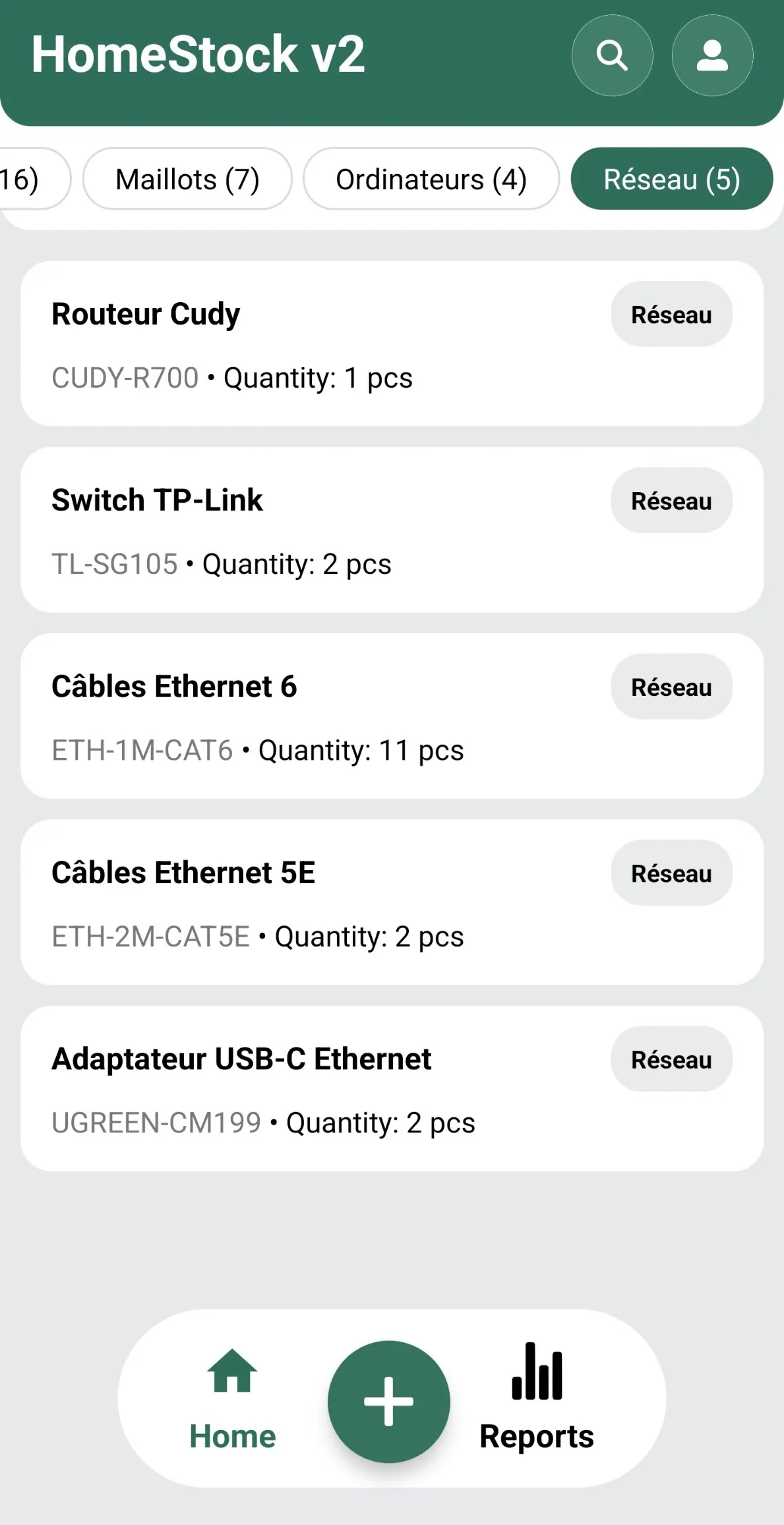
Home: items filtered by category, with their reference and quantity 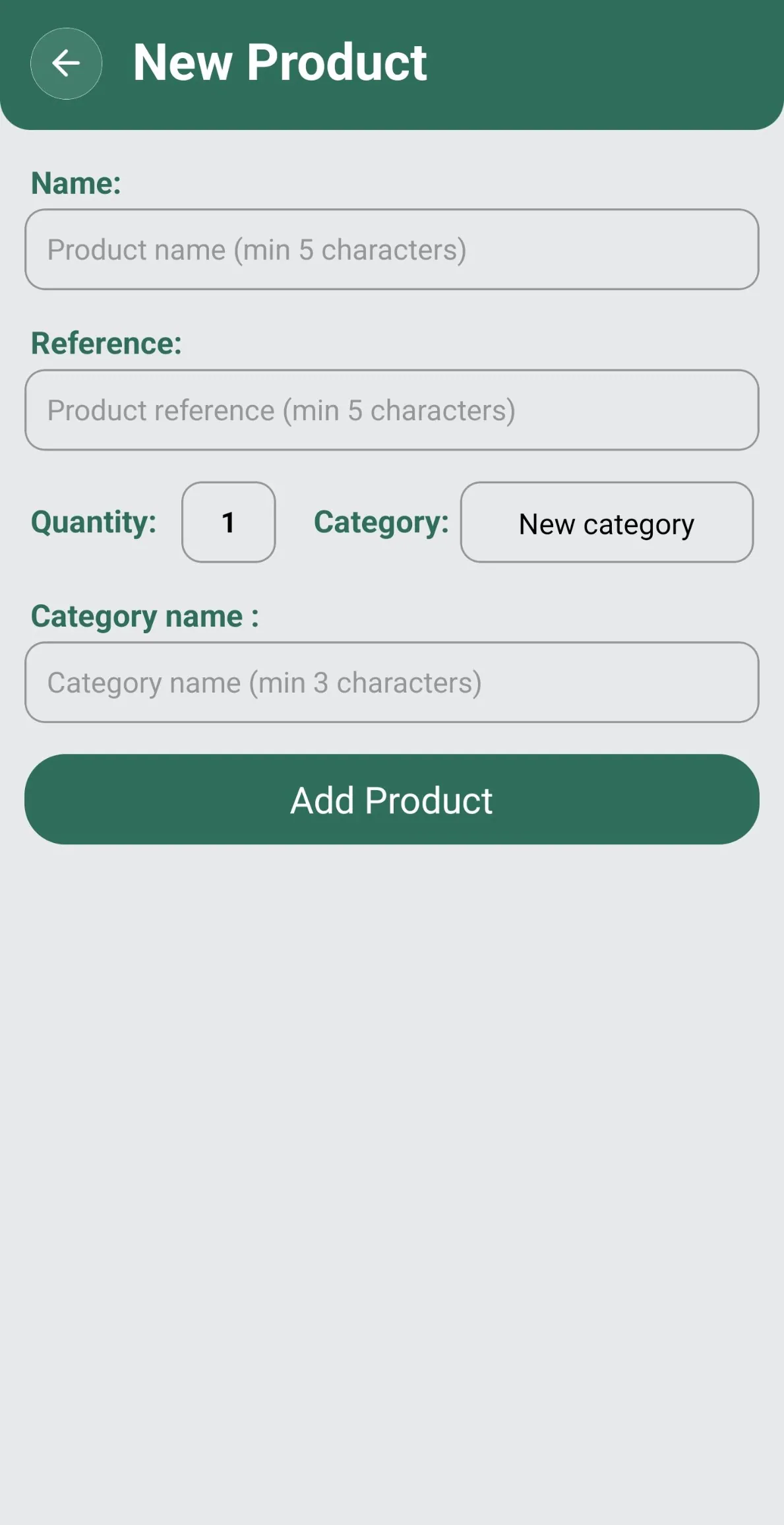
Adding an item: name, reference, quantity and category 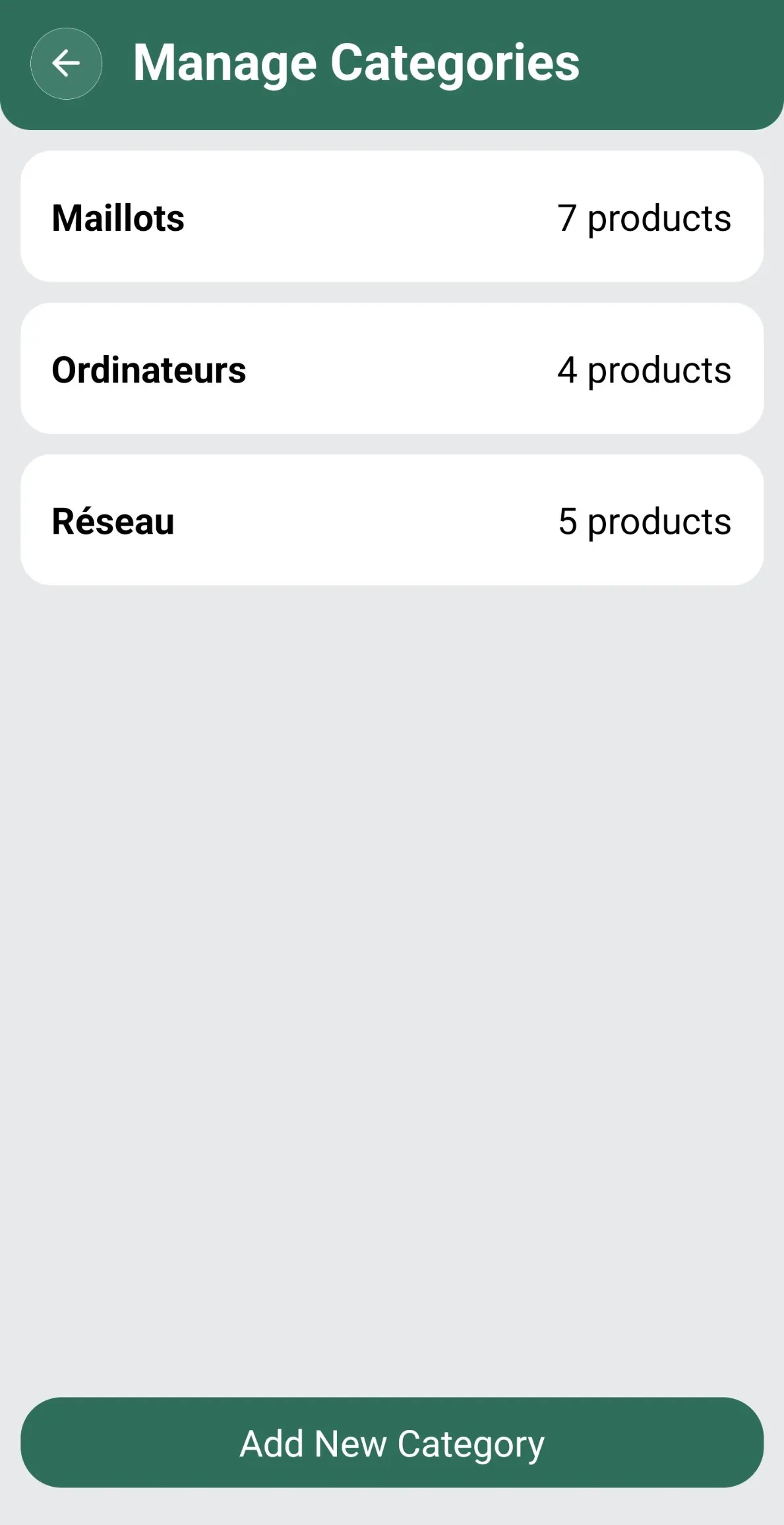
Category management, with the number of items in each 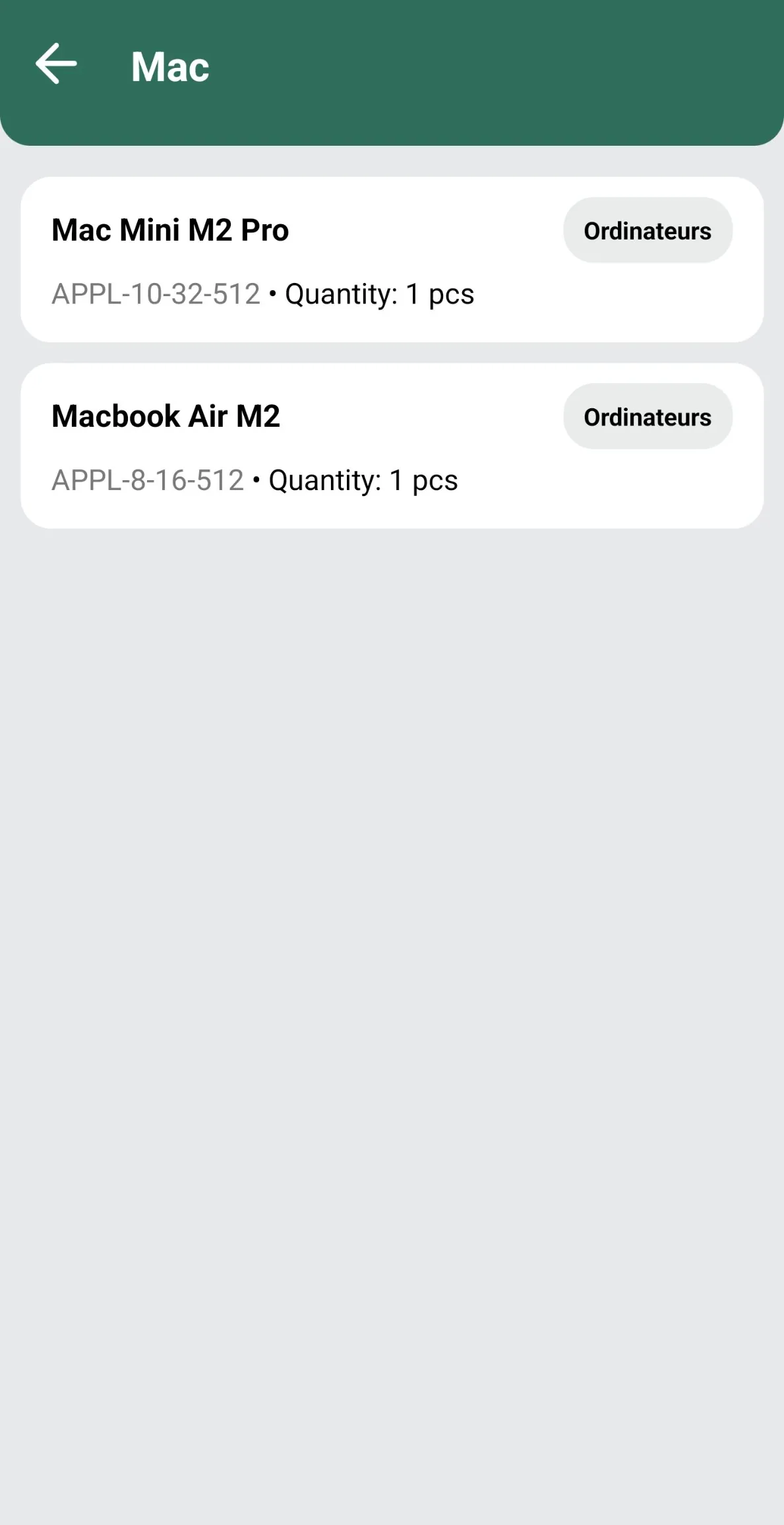
One category: two computers with their reference and quantity
Click an image to open it full screen and browse through the screenshots.
04 · Takeaways
What I took away from it
I learned to build a complete mobile app with React Native: a layered architecture (screens, global context, repositories), navigation, shared state with the Context API, and a SQLite database on the phone with full CRUD. Each version has introduced new concepts, and v3 will be the chance to move to a client/server architecture.